

Reference

we99game App — Your Lobby on Any Device

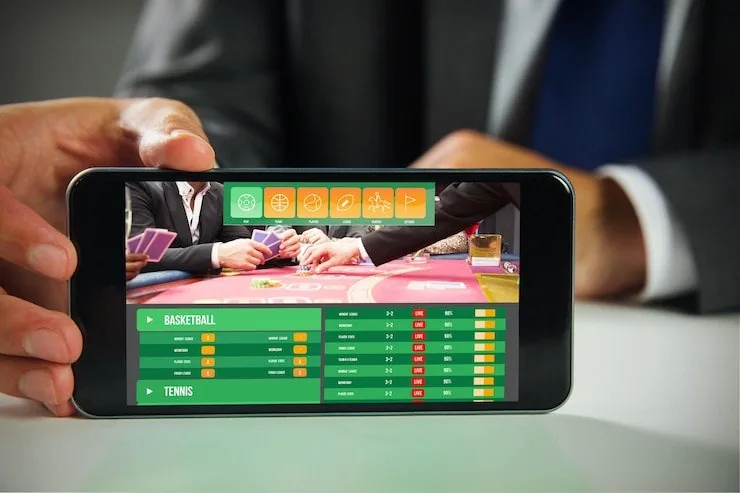
The we99game lobby opens directly in your mobile browser — no installation required to reach live tables, Crash Lightning, or the sportsbook. Access depends on local law and is available in eligible regions of Pakistan.

mobile browser accessaccount wallet on-the-goavailability check in-applive tables and slotsPakistan-local support
we99game we99game App — Your Lobby on Any Device
we99game Mobile Access in 3 Steps

Mobile Access in 3 Steps

No APK file, no app-store listing needed. The browser-based path below works on any mid-range Android or iOS phone with a current browser version. Step one: open we99game in Chrome, Firefox, or Safari — the site detects your screen size and loads the mobile layout automatically. Step two: check that your browser is up to date; an outdated browser may block the

live-stream for games like Live Roulette Wheel. Step three: sign in with your account credentials, enable biometric login from account settings if your device supports it, and your session is live. Bookmark the address or add it to your home screen for one-tap return visits.

  • Open the current site — Navigate to we99game in your phone browser. The mobile layout loads within seconds on a stable data or Wi-Fi connection.
  • Check browser compatibility — Use an up-to-date version of Chrome or Safari. Older browser builds can interrupt live-casino streams and the crash-game multiplier feed.
  • Sign in securely — Enter your account credentials or use the OTP sent to your registered number. Enable biometric login in settings for faster re-entry going forward.
  • Add to home screen — Use your browser's share or menu option to pin we99game to your phone home screen — it opens like an app without any download.
Four Features That Make Mobile Sessions Work

These are the mobile-specific functions that change how you use the we99game lobby day to day. Each one cuts friction at a real point in your session — login, navigation, notifications, and late-night browsing when you want to check the lobby without burning through data.

Biometric Login

Fingerprint or face-ID entry works on supported Android and iOS devices. Skip the password entirely and land straight on the lobby in one touch.

Push Notifications

Opt in to round alerts for crash games like Crash Lightning and live table updates so you never miss a session window you were waiting on.

Dark Mode Display

The interface switches to a low-glare dark layout automatically after sunset, which makes late-night slot sessions on Teen Patti Gambit easier on the eyes.

Offline Lobby Preview

The lobby thumbnail grid loads from cache when your signal drops briefly, so you can browse game tiles and plan your next session before reconnecting fully.

DEVICE COMPATIBILITY CHECK

Which Devices and Browsers Work With we99game

Before you start a live session, run through the quick checklist below. It covers the browser conditions and account requirements that keep the mobile lobby stable — particularly for live-streamed titles like Live Roulette Wheel and Dragon Tiger where a dropped frame costs a round.

we99game Browser version

Browser version

Chrome 110 and above or Safari on iOS 15 and above handle live-stream tables without frame drops. Check your browser version in its own settings before your first session.

we99game Screen layout scaling

Screen layout scaling

The lobby adapts to portrait and landscape orientations. Portrait suits slot browsing like Gates of Olympus; landscape opens the live-table view to full width.

we99game Account verification status

Account verification status

Your account must be verified to access withdrawal options on mobile. Complete identity confirmation from the account section before your first withdrawal request.

we99game What the we99game Mobile Experience Delivers

What the we99game Mobile Experience Delivers

Open the lobby from Chrome or Safari on your phone and your full account travels with you — betslip, wallet balance, live table seats, everything. Push notifications alert you when a round closes on Crash Lightning or when your withdrawal request updates. Quick deposit puts JazzCash, Easypaisa, and Raast a single tap away from the lobby header. Fingerprint login removes the password

step on supported devices, so you are back at the tables in seconds. The interface scales cleanly from a 5-inch screen to a tablet without a separate download. Players in Karachi and Lahore use the mobile browser daily to follow PSL cricket betting and slot sessions side by side.

Common Questions About the we99game App

These are the questions we hear most from Pakistan players setting up mobile access for the first time. If something here does not cover your situation, reach out via the support channel inside your account.

we99game currently runs through the mobile browser rather than a dedicated app-store build. Open we99game in Chrome or Safari and the full lobby is available without any download.

Yes. In Chrome tap the three-dot menu and select Add to Home Screen; in Safari use the Share icon and choose Add to Home Screen. It opens like a native app after that.

Fingerprint and face-ID login work on Android and iOS devices that support those features at the hardware level. Enable it from Account Settings after your first standard sign-in.

Notifications appear as banners and do not interrupt a running session. You manage which alert types you receive from the Notifications section inside your account preferences.

The full lobby — including Crash Lightning, Teen Patti Gambit, Live Roulette Wheel and the sportsbook — is available on mobile. A small number of provider demo titles may only load on desktop.

Open the Help section inside your account; it lists currently supported device and browser combinations. If yours is not listed, updating your browser resolves most compatibility issues.
Reference

we99game App

Service availability depends on eligible regions and local law. Users should check local rules before opening an account.

Access may be available only where local law permits.